
Getting games using the Epic Games Store doesn't necessarily mean you bought them from there. Redeeming codes is a bit of a messy process. Here's how you do it if you bought your Epic title elsewhere.
Products used in this guide
- Epic Games: The Division 2 ($60)
- Epic Games: Metro Exodus ($60)
How to redeem codes from the Epic Games Store
You'll only need to do this if you acquired your Epic Games Store PC title, such as The Division 2, from a third-party such as Green Man Gaming or Humble Bundle. You also don't use the PC client for it.
-
Head to the Epic Games Store in your web browser.

- Log in to your account.
- Click on your username in the top right-hand corner.
- Click on account.
-
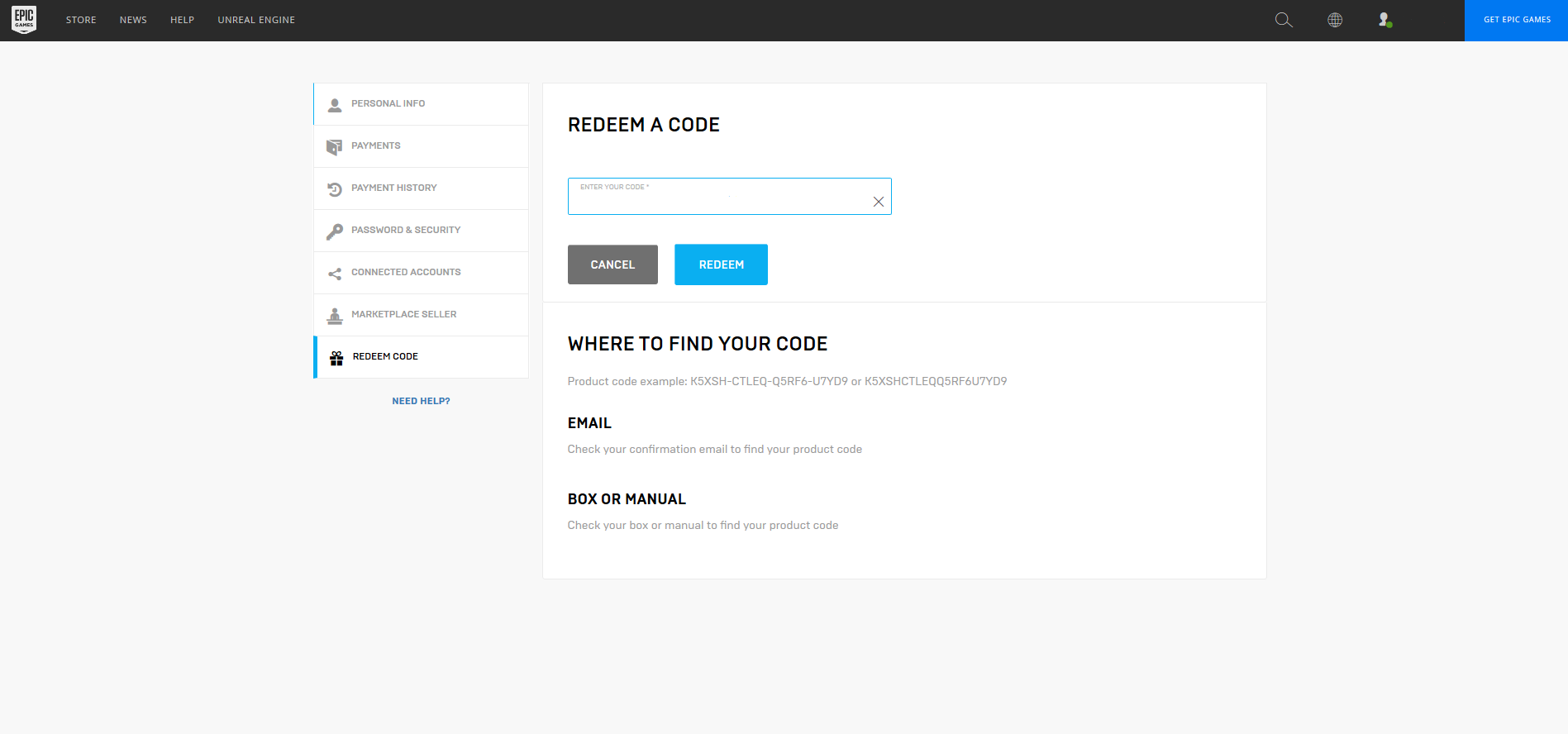
Click on redeem code in the left-hand menu.
-
Enter the code into the box and click redeem.

from Windows Central - News, Forums, Reviews, Help for Windows 10 and all things Microsoft. http://bit.ly/2SN4GN9
via IFTTT

No comments:
Post a Comment